

I paid $17.99 a month for a streaming service for the better part of a year after the one show I joined for had finished, because cancelling it never became a job with a deadline. Open your statement and count the recurring charges you can't place. Three or four, usually, none big enough to have made you pick up the phone.
That is the trap. No single one of these hurts on its own – $2.99, $12.99, $17.99 – so each one renews quietly and nobody ever calls. Priced by the year, the same charges come to roughly $1,900.
So every one below gets the same two questions: what does a full year of this cost, and what is the cheaper move that does the same job? Answer both and ten vague line items turn into ten cancel-or-keep calls before the next renewal. You do not have to fix all ten today, and doing them in the right order beats cancelling everything at once.
Quick Tips Before You Start
Search two months
Open the card or bank app and search the last 60 days of charges for the word 'renewal'.
Note the renewal date
Write down the next billing date for anything you keep, not just the price.
Find the terms page
Cancellation windows live in the provider's own terms, not in this article.
Price it by the year
Multiply every monthly charge by 12 once and it stops looking small.
Deleting the app cancels nothing
In-app store subscriptions and provider accounts have separate cancellation routes.
Entertainment that outlived the reason
These three charges never got cancelled because the sign-up was about one specific thing — one series, one commute, one dollar.
The thing finished and the fee kept going. This is where the weakest excuse for paying starts, so it is also where cancelling is easiest.
1. Keeping one show costs $216 a year
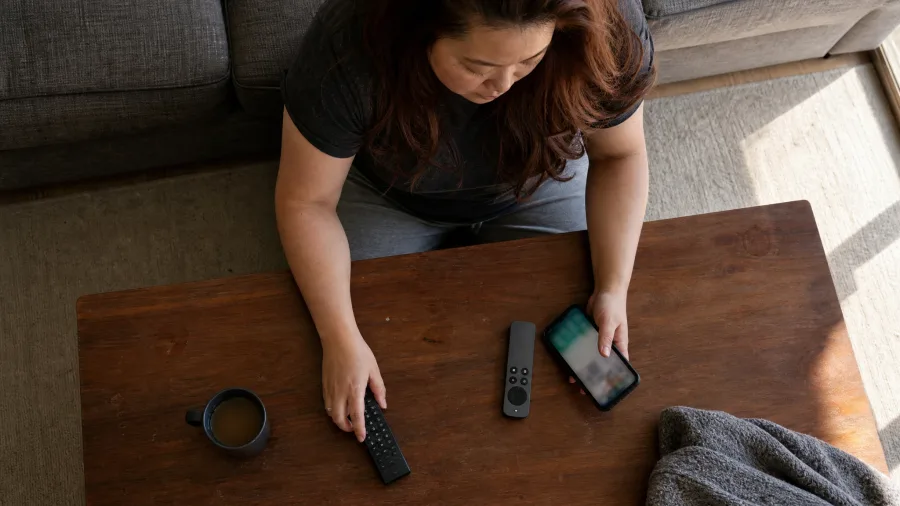
There was a show I'd been meaning to finish for the better part of a year, and every month I told myself the $17.99 was justified because the season was still sitting there waiting.
Twelve charges later that comes to $216, and the season on its own rents for about $25 – a little over eight times what the show is actually worth to watch once. So the small start here is to let go of the plan entirely and buy the thing directly: one month of the service, one season watched, then cancel before the next charge lands. That's $17.99 once, not $216 across a year of statements.
Two checks first, because they cost nothing: see whether that title already sits on something the household pays for, and whether this same provider has an ad-supported tier at a lower rate. If the house genuinely watches several shows a week across that catalogue, the fee is working and the comparison falls apart – but for one series, it isn't.
💡 Tip: The pattern fails if the household watches several series a week on the same catalogue — there the $17.99 is doing real work and the rental comparison collapses.
| Subscription | Monthly cost | Cost over a year | The cheaper move |
|---|---|---|---|
| Streaming service | $17.99 | $216 | Rent the one season outright for about $25 |
| Audiobook credits | $14.95 | $179 | Buy the 12 titles outright, roughly the same |
| News bundle | $9.99 after a $1 month | $120 | Free article allowance and library press access |
| Gym | $39.99 | $480 | Day passes at $15 each |
| Fitness app | $12.99 | $156 | The free tier and one dated training goal |
| Cloud storage | $2.99 | $36 | The 5GB free tier it replaced |
| Design software | $22.99 | $276 | One-time software or a free browser editor |
2. Twelve unused audiobook credits cost $179

About $179 a year, because $14.95 leaves the account every month whether or not anything gets listened to – one credit arriving for every month, against a book finished every few months at best.
Here's the mechanism that makes it a loss without anyone noticing: a credit isn't money in a drawer. It's a claim on a title you haven't chosen yet, and it sits there while the charge keeps repeating. So the price was never the problem. Twelve titles bought outright, one at a time, would run roughly what the year of fees did – the deal was fair, and the unused credits are the entire cost.
What happens to those banked credits when you cancel is set by the provider and it varies by plan. Their own page on credits and cancellation is where the answer lives, and it's worth reading before you touch anything.
For someone who commutes through two or three books a month, the fee earns its keep. Below one book a month, it behaves like a savings account paying no interest – money parked, nothing gained.
The move, with a deadline attached: before the next billing date, open the account, count the credits sitting unused, then count the books finished in the last three months. Write both numbers down.
Compare them. If the credits outnumber the books by a wide margin, cancel and spend the balance on the titles you actually want, then buy future books one at a time.
If the two numbers are close, keep it and let the credits do what they were bought for. Either way, the decision now has a date on it instead of drifting another month.
One more thing nobody mentions: the number you wrote down this month is the benchmark. Next quarter, count again – if credits have grown while books stayed flat, the plan has stopped matching the habit.
💡 PRO TIP
The two-number test
Banked credits against books finished in the last three months. If the second number is bigger, the subscription is working; if not, it is a savings balance paying no interest.
3. A $1 news trial now bills $120 a year

One dollar for the first month was the whole reason for signing up. Then the calendar turned, the intro window closed, and $9.99 started leaving the account every month – $120 a year, billed so quietly that the only proof it changed is the first full-price charge on your statement.
Find that charge. It dates the switch exactly, and the intro period's end date is sitting on the account's billing or subscription page for confirmation.
The automate-it move is this: set a calendar reminder for three days before that billing date, and in the reminder put one instruction – decide now, not later. On the day, open the app or site twice and see whether the reading actually happened more than once a week. Above that pace, the $120 is buying something you use and can stay. Below it, you're paying for a headline habit that a free tab covers.
Before you decide, run the free check rather than trusting a promise: the outlet's own monthly article allowance, press access through your library card, and the free tiers at competing outlets. That's a route worth testing, not a guaranteed replacement.
Then leave it alone until the reminder fires. The point of automating this is that you never have to remember the trial again – the calendar does the remembering, and the decision is made once, on the date, against things you're paying for by accident instead of against a dollar.
Fitness billed monthly, attended rarely
A gym and an app share a business model: recurring charges that survive on the intention to go rather than the going.
Both get compared here on cost per actual visit, which is the only number that tells the truth about them.
4. Two gym visits cost more than two day passes

Pull up the gym contract and find the notice clause before the next billing date. A membership at $39.99 a month runs $480 a year, and two visits across that year prices those sessions at $240 each; a $15 day pass makes the identical two visits $30, so the annual fee is sixteen times the day-pass price for the same floor and the same hour.
joined in the January rush, paid every month by card, and the fob sat in a coat pocket until the day I couldn't remember the last time I swiped it. What jumped the number was the pass on the way in at $15 a pop — thirty dollars against $480.
Your notice period is in your contract, not in this article, and it usually runs past the next billing date. If attendance holds above three visits a month, keep it; below that, class packs and day passes cover the same work without a recurring charge.
5. The fitness app bills $39 for every session

The belief is that the monthly fee is doing something. There's a room at the gym down the street with a door you walk through and an hour blocked off on a Tuesday. An app on a phone is a different kind of purchase: $12.99 leaves the account every month whether or not the screen is ever opened.
Priced by actual use, that is $156 a year against four opens, which works out to about $39 every time the app is unlocked. Nothing else on this list costs that much per visit. So the question isn't whether the fee is affordable. It's whether the habit the fee is supposed to be buying exists outside the fee.
Here's the part worth testing before cancelling. Whatever it is that gets used in there, a timer, a stretch routine, a single follow-along session, is often sitting inside the free version of the same app. Sign out of the paid account, use the free tier for one week, and see whether anything is genuinely gone.
Then there's the cancellation itself, which trips people up. Cancelling from inside the app store and cancelling in the provider's own account are two separate routes with separate rules, and the instructions live on the app store's subscription page and the provider's help page. Deleting the icon from the home screen cancels nothing at all.
The honest reframe: the app isn't a fitness expense, it's a deposit on a goal. A race entry, a strength number, a date on the calendar is what would justify $12.99 a month, because that's a plan the app serves. The intention to get fitter isn't. Below four opens in a year with no goal in sight, the $156 buys the idea of the habit, not the habit.
Keep it or cancel it
Keep it if
- You opened it in the last two weeks
- A dated goal is driving the use
- A day pass costs more than a month of fees
- Someone else in the house uses it too
Cancel it if
- You cannot name the last login
- The free tier covers the one feature you use
- The streak reset months ago
- You are paying for the intention, not the visits
Extras bought for one job or one week
These charges were correct for about a fortnight and have been wrong ever since.
Each one was tied to a single project, a single move, a single busy week — and nobody put cancellation on that project's checklist.
6. Cloud storage bills $36 for space you don't use

Check the storage number in the account settings before deciding, because 2GB used on a 200GB plan is a paid tier holding less than the 5GB free tier it replaced.
At $2.99 a month and $36 a year, the plan costs more than the space it actually holds. What happens to files above the free limit on downgrade is set by the provider and varies, so the help page on downgrading is where to confirm it, and anything over 5GB needs downloading first. Keep it where full device backups or large video sit in the plan; every few months, glance at the usage figure and the storage bill together.
💡 Tip: The free tier under this plan was never full. That is the whole case.
The same $276, two outcomes
7. Design software renews at $276 for a finished project

Storage bought for one upload at least still holds the files. A design tool bought for one commission holds nothing once the client signs off, and the renewal keeps firing anyway. That is the quieter fear worth naming first: if you cancel, you lose the files, the fonts, the layers you built. You almost never do. The work exports to a flat file, a PDF or a PNG, and that file opens anywhere for free. The licence never owned the work, and cancelling it does not touch a single finished project.
a month-to-month plan stops at the next payment, while a yearly plan you committed to can run to its end date and refund nothing for the months already paid. Only your billing page tells you which of those is in force, so open it before you assume the next charge is your last.
The smaller edits are not a reason to keep it. Resizing a logo or nudging text in a flyer takes a one-time-purchase program or a free browser editor, no monthly charge, and you would have to pay that subscription for years before it cost what $276 costs in one. Where the case flips is a paid client job with a date in the next quarter. Then the licence has a use and an end, and you can diarise the cancellation for the week the work ships.
This is where your own numbers decide, not the article's. Your renewal date, your cancellation clause, your commitment length: run the billing page against a calendar before you call or click cancel, and if the terms are murky, the provider's terms page or a CPA can read them with you. The project is what ended. The charge outlived it only because cancelling was never written down as a job to close.
🧾 Where the $276 gets decided
Before you cancel
Export every open project to PDF or PNG first. That takes ten minutes and makes the cancel irreversible-safe.
The refund rule
Annual plans usually refund nothing for months already served; monthly stops at the next charge. Ask for the exact end date in writing.
Keep it if
A paid client job has a delivery date this quarter. Diarise the cancel for the week that ships, not the day after.
Drop it if
The last file was exported more than 30 days ago and no new work is booked. No date, no licence.
The permanent fix
Add 'cancel licence' as the last line of every project checklist. The $276 was never the design; it was the unclosed loop.
8. The meal kit auto-ships $80 boxes you throw out

It's not the food that gets you. It's the Sunday evening you remember the box is arriving and the cut-off passed two days ago. The charge here isn't a subscription to meals – it's a subscription to forgetting a weekly deadline, and every missed skip is $90.98, box plus shipping, for something you meant to cook.
So build a skip routine that doesn't depend on remembering. One system: a recurring phone reminder set for the provider's skip deadline, not the delivery date. The cut-off usually sits days before the box ships rather than hours, and the exact time is on the delivery or order page in your account settings. Put that reminder on the same weekday the box always arrives, and it fires while you're still deciding.
If weekly deciding is too much, check whether pausing the whole account or shifting the delivery window is an option – the provider's own terms page says which, and how long a pause can run. A one-month pause is a decision made once instead of four.
The keep rule is simple: a household actually cooking four or more of the meals each week gets value. Below that, the box is $79.99 plus $10.99 and about $60 of it in the bin – good intentions with a shipping fee.
Meal kit — the numbers the prose left out
🍽️ True cost per meal cooked
$90.98 a box ÷ meals you actually eat = your real per-plate price
📊 Break-even line
At $90.98 a box, cooking fewer than about 4 meals pushes each plate past a $12 takeout bowl
💵 Annual cost if you keep it
One box a month = roughly $1,092 a year; one box a week = roughly $4,730
⏸️ Cheapest exit
Pause the account for one month first — cancellations often forfeit promo pricing you can't get back
🔍 Where the deadline hides
Order or delivery page, account settings — not the delivery email
🗓️ Order of operations
Set the reminder for the skip cut-off day, pause a month, then cancel only if you still miss it
The number that decides it
Divide $90.98 by the meals you actually cook and eat. That per-plate figure, not the sticker price, is the keep-or-cancel call.
Protection that renews and never pays out
The last two are the only charges on this list that sell safety, which is why they survive longest.
Price them against the thing they insure and the arithmetic gets uncomfortable fast.
9. Phone insurance costs $204 and $99 to claim

I cracked a screen last spring, paid $129 at a kiosk in twenty minutes, and only then added up what the monthly policy had cost me in the same twelve months. That box was food the household meant to cook. The protection charges are different: they sell insurance against losses that mostly don't happen, and pay out less than they cost when they do.
Run the phone one plainly. The premium is $17 a month, $204 a year, and a claim carries a $99 deductible, so one repair through the policy is $303 against the $129 the shop charges. A year of premiums plus one claim runs to more than double the repair. It only comes out ahead on a loss far bigger than a screen. Check the terms on loss and cosmetic damage, and check whether renters or home cover, or the card you bought the phone on, already covers it.
If you are not ready to cancel, scale it down: drop to the cheapest cover your provider sells, raise the deductible, and mark the renewal date. That still counts. You can do less right now without quitting entirely, and a smaller premium is a real saving, not a failure.
What the protection charges actually buy
Two premiums, priced against the things they claim to cover
Percentages compare the annual cost against the cheaper alternative, not against each other.
10. $300 credit monitoring duplicates your card app

Somewhere in the stack of charges is one that feels responsible rather than wasteful — the monthly payment that promises to watch your credit for you. It is the easiest of the lot to leave running, because cancelling it can feel like deciding not to care about identity theft. That guilt is doing more to keep the charge alive than the service is.
it watches your file and pings you when something new appears, like an account opened in your name or a fresh inquiry. What it reports, your card issuer's app already displays at no charge — the same score, the same alerts, a tap away. So $24.99 a month, $300 a year, is a second bill for the first bill's free feature.
The reminder that ends your card's reporting is the one worth setting: a new account you never applied for, an address change you never requested, a hard pull on a Tuesday morning you can't place.
Monitoring earns part of its reputation honestly — a fraudulent account that reaches the credit bureaus gets caught. What never reaches the file is invisible to it: a scam call that talks you out of a gift card, a card already saved on a retailer's site, a password reused since 2019. Those are the losses you actually hear about, and this charge does not touch them.
The clock runs through two windows, not one. Your file itself sits frozen, free, whenever you want — a credit freeze with each of the three bureaus stops new accounts cold and costs nothing. Separately, the free reports you are entitled to each year, and the current schedule for pulling them, are stated by the Consumer Financial Protection Bureau and on AnnualCreditReport.com, both free to check. The paid service sits in the gap between those two free moves, and the gap is smaller than the fee suggests.
The call, then, is a cancel with one named exception. Scan the plan's feature list for something you would actually pay $300 a year for — identity-restoration support, say, the hand-holding through the paperwork if your identity is stolen — and price it against the fee. Most people look at that list and find nothing they would buy on its own.
The score was never the product. It was already on the phone.
Frequently Asked Questions
How do I find subscriptions I have forgotten about?
Open the card or bank app and search the last two months of transactions for words like 'renewal', 'subscription' and 'premium'. Do it across every card you use, including one you keep for online purchases, because subscriptions tend to land on whichever card was in the browser at sign-up.
Does deleting an app cancel the subscription?
No. Deleting the app removes the icon and nothing else. Store-bought subscriptions cancel through the app store's subscription page, and provider-bought ones cancel inside the provider's own account. Check the billing confirmation afterward — that is the proof.
What happens to unused audiobook credits if I cancel?
That is set by the provider and it differs by plan, so read their own page on credits and cancellation before you cancel. Some plans let you keep banked credits for a while, others lose them at the end of the billing period.
Should I cancel all ten at once?
No. Cancel the single most expensive item this week and leave the rest until you have checked what each one actually costs per year. Ten cancellations in one afternoon is how people accidentally cancel the one thing they use.
Is credit monitoring worth paying for?
Usually not, if your card issuer's app already shows the score free. Monitoring catches new accounts and file changes, not scam calls or a saved card on a retailer's site. Check the CFPB's pages and AnnualCreditReport.com for what you are entitled to at no cost before paying $300 a year.
What if I am locked into an annual plan?
Then you are waiting out a date, not making a mistake. Read the terms page for the notice period and the refund position, put a calendar reminder a week before the renewal, and use the software or service properly until then.
Cancel the $480 gym membership tonight, not all ten
The verdict is blunt: the ten charges here run roughly $1,900 a year, every one of them has a named cheaper move, and most of them are cancels. The year price sitting next to the alternative made those calls, not willpower.
One first move, not ten. Open the card or bank app, search the last two months of small monthly charges, and cancel the single most expensive item on this list today – the $480 gym membership. Then set a calendar reminder a week before the next annual renewal on anything you keep. Cancellation windows are set by each provider's own terms, so read them, and free credit reports and scores are a CFPB matter rather than something to pay a service for.
That same short list of charges is still on your statement. It just has a yearly price beside each one now, and a cheaper move underneath it. The one you cancel tonight is worth more than the nine you are still thinking about.
Do the search before the next renewal
Open your bank app now, search 60 days of charges, and cancel the most expensive one. Everything else on this list can wait a paycheck.