

I moved $400 a month into savings for two months, felt like I had cracked it, and then the third month got tight and the transfer sat cancelled for five.
You have been moving money in for 14 months. That is $2,800 deposited, a balance of $1,260, and a number that has never once climbed above $2,800. More went in than the account has ever held at one time.
No bad luck caused that, and no salary did either. The transfer was dated after the spending, and two withdrawals, a $640 car repair and $900 of flights, set the ceiling the balance keeps returning to. Seven setup habits do the rest, and every one of them is visible in a figure.
You can change them without earning another dollar. By the end you will have one transfer dated the day after payday, a restart rule written beside it, and a clear idea of which habit to fix two clean months from now.
Quick Tips Before You Start
Date it for payday
Schedule every transfer for the day after your paycheck lands, not the last day of the month.
Start with $25
A small automatic transfer that runs every month beats a big one you cancel in March.
Use a separate bank
Put savings at a different institution with no debit card attached so it's one extra step to raid.
List predictable bills
Car repairs, holidays, annual insurance: if you can see it coming, it's not an emergency.
Review twice a year
Check the transfer every raise and every January, and move half the increase into savings.
How you set the transfer

Three of the seven mistakes happen before the money ever leaves your checking account: the date, the size, and the tool. Get these right and the transfer runs quietly.
Most people set the transfer once, in a good month, and never touch it again. That's the setup that quietly fails.
1. Saving leftovers means saving nothing

If you have ever opened the banking app on the 28th, seen $43 sitting there, and quietly told yourself you will try again next month, nothing has gone wrong with your character. The money was never going to survive to the end of the month, because it was scheduled to arrive after everything else had already been through.
Two paychecks land at $1,700 each, $3,400 a month in total. A $200 transfer dated late gets whatever remains after rent, the card payment, groceries and the fuel top-up have taken their bite, and most months what remains is a rounding error. Over 14 months $2,800 went into that account and $2,800 is the highest figure it has ever shown, because by the time the transfer moved, the month had already spent it.
Move the date and the whole thing changes. Set $100 to leave the day after each payday, before any bill gets a look at the account, and the money is gone before the spending starts. You can take willpower out of the equation by automating your savings transfers so they run without effort. If your income swings, switch from a fixed $100 to a small percentage of each deposit and the transfer can never bounce.
💡 Tip: If your pay date moves around, set the transfer for the morning after the earliest day your paycheck has ever landed.
| Mistake | What it does to the balance | The fix |
|---|---|---|
| Saving leftovers | Nothing moves most months; 14-month high-water mark stuck at $2,800 | Auto-transfer $100 per paycheck the day after payday |
| Amount set too high | $400/month lasted 2 months, then 5 months of $0 | Pick the amount that survives your worst month; raise after 6 clean months |
| Round-ups instead of transfers | $112 in a year vs $2,400 from a fixed transfer | Keep round-ups as a bonus; sweep the $112 to the emergency fund quarterly |
| Emergency fund in checking | $3,900 sitting in debit, target $2,300, nothing protected | Move it to a separate savings account at another bank |
| Every bill is an emergency | $640 car repair + $900 flights took $2,800 back to $1,260 | Three sinking funds: $70 car, $60 holidays, $45 insurance |
| One tight month ends it | Cancel and restart by hand costs a month or more | Skip one transfer, resume next payday; never cancel |
| Transfer never changes | $200/month stays $200 after a raise | Split the net raise: $90 more into the transfer |
2. The amount is set too high to keep

Not the number that looks right on a spreadsheet, and not the one that fits a good month. The number that survives your worst month of the year.
There is a cost to getting this wrong, and it shows up fast. An attempt at $400 a month ran for two months, hit a month where the transfer could not be met, and the whole thing was cancelled rather than paused. Five months of nothing followed. That is $2,000 that should have moved and did not, because the first miss was treated as proof the plan had failed instead of proof the number was too high.
The $200 version has now run 14 months without a single cancellation. Same $2,400 a year, spread thinner, and it is still going. Set your own figure against the month you dread, the one with the insurance premium, the tyre and a birthday in the same four weeks, and ask what could still leave the account that month. That answer is your amount.
Hold it there for six clean months before you touch it. Raising the transfer in month two rebuilds the $400 problem at a smaller scale, and it ends the same way, with a cancelled transfer and an empty account. The stretch that matters is not this month, it is the one six months out, and the only way to reach it is an amount small enough to survive the bad weeks.
⚠️ COMMON MISTAKE
The transfer that bounces once gets cancelled
A fixed $100 that fails in a thin month takes the whole automation down. Use a percentage of each deposit instead, so a small check sends a small amount and the transfer never stops running.
3. Round-ups feel like saving but barely move it

It feels like saving. Every purchase gets rounded up, the app sends a cheerful notification, and the number ticks upward a few cents at a time. Meanwhile the transfer you sized carefully is competing with this other habit for the same money, and the habit is winning the attention.
$112 from the app, $2,400 from the transfer. That $112 is barely half of one month's transfer. The spending the app skims from carries on regardless, so the change it collects is a small extra, never the engine doing the saving.
Check the fee before you decide what it is. A few dollars a month against $112 a year takes most or all of that $112 before it ever reaches an account, and then you have bought a subscription that feels like saving. If the app stays, sweep the accumulated change into the emergency fund every quarter, where it turns into one deposit worth having.
💡 Tip: Cancel the app if it charges a monthly fee and you're not also running a fixed transfer. It's costing you money to save $112 a year.
📆 What to do when a tight month hits
Spot it early
Check the account the week before the transfer is due, not after it bounces.
Lower, don't cancel
Drop the transfer to $50 for one month and keep the same date and account.
Send the restart note
Write the date you'll return to the full amount on the calendar.
Resume on next payday
Return to the full $100 per paycheck on the next payday, no changes needed.
Check for a pattern
If you skip three months in a row, rebuild the buffer before raising the amount again.
Where the money sits

Two of the seven mistakes are about location: which account holds the emergency fund, and which bills are allowed to touch it.
Get the account right and the balance stops resetting. Get it wrong and every repair becomes a withdrawal.
4. The emergency fund sits in your debit account

$3,900 is sitting in checking right now, and it is not spare money. It is the emergency fund, and it has been the emergency fund for a while, because the starter target was one month of rent, groceries and utilities. On $3,400 of take-home pay, that target is roughly $2,300.
The target was passed months ago. Nothing was protected the whole time.
The move is small and specific: open a separate savings account and set the balance moving there by the end of the week. Pick one with no debit card attached. A different bank beats a different tab at the same bank, because a tab is still one login from the transfer button and the debit card is still in the wallet.
The two- or three-day transfer delay is the part people complain about and the part you want. The $900 in flights does not happen at 11pm on a Tuesday if the money takes until Thursday to land.
One last check before you commit. Compare the account's rate against the FDIC's published national rate table, because the accounts that pay the least are the ones nobody compares. The gap is where an untouched fund quietly loses ground.
The Savings Priority Pyramid
What to fund first, in order
Order matters more than amount. Fund the bottom of the pyramid before adding to the top.
5. Every predictable bill arrives as an emergency
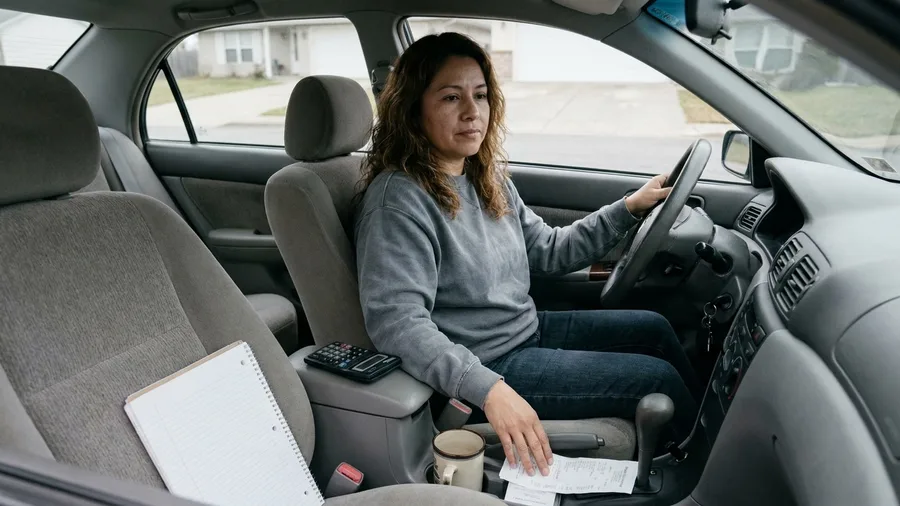
The belief is that a car repair is bad luck, the kind of thing no budget can plan for. Then the invoice lands: $640, and $900 of flights the same quarter, and the balance drops from $2,800 to $1,260. Neither bill was a surprise. Both were sitting on the calendar a year out, and both were paid out of the one account that was never meant to cover them.
That is the leak this mistake hides. A repair you could have seen coming for twelve months is not an emergency, it is a bill with a date. Paid from the fund built for job loss and medical, it does what only an emergency should do: resets the balance to near where the saving started.
Here is the small start. You do not need to fund everything at once, and you do not need a perfect forecast. Pick the single bill that hurt most in the last twelve months, open a separate account for it, and set a transfer of whatever that bill divided by twelve comes to.
The $640 repair becomes $70 a month. That is the whole move, and $70 is a real number a thin month can usually still carry.
Repeat for the two bills that follow you around. Holidays at $60 a month, the annual insurance premium at $45 a month. Three transfers, $175 a month in total, a bit over $2,100 across a year, each one parked away from the emergency fund instead of quietly inside it.
Sizing one takes about twenty minutes and a year of statements. Search the merchant, add every charge that comes up, divide the total by twelve, and set that figure as a transfer into its own account. The first one is the hardest because you are reading twelve months of your own spending. The second takes half as long.
If $175 sounds like money you do not have, start with the repair fund alone at $70 and let the other two wait a few months. A sinking fund that runs at $20 a month still moves the next repair from crisis to inconvenience, and the figure can climb once the habit holds.
Small beats nothing here by a wide margin. Ten dollars a month is $120 by the time the next tyre or brake job arrives, and $120 off a $640 invoice is the difference between a bad week and a reset. The emergency fund keeps job loss, medical, and the genuinely unplanned. Everything already marked on the calendar belongs somewhere else.
💡 Tip: Name each sinking fund after the bill it covers. "Car" and "Holidays" are easier to leave alone than "Savings 2".
Keeping it running

The last two mistakes happen after the transfer is set: one tight month ends it, and a raise never reaches the savings account.
Both are about what happens when your income or expenses change. Fix them and the transfer keeps running for years.
6. One tight month ends the transfer for good

Write the restart rule down before the thin month finds you. One sentence does it: skip one transfer, and it starts again on the next payday at the same amount on the same date. Keep it beside the transfer, where you will see it on the morning you are tempted to cancel.
The rule that makes it work is lowering rather than cancelling. Fifty dollars keeps the automation and the date alive. Zero kills both, and a cancelled transfer turns a decision you already made into a decision you have to make again, from scratch, in the exact month you feel least like making it.
Cancelling costs more than the skipped $100, too. Restarting by hand means a fresh login, a new transfer, a new date, and another month of nothing while it all gets set up.
Three skips in a row is a different signal. That pattern means the buffer behind the transfer needs rebuilding, not that the transfer was too big to begin with, since the buffer was the thing the transfer was feeding all along.
Skip once, restart on payday, and the system keeps running without needing a fresh start.
Tight month: what to do vs what not to do
Do this
- Skip one transfer, then take the full $100 from the very next paycheck
- Drop to $50 for a single cycle, not a single month – put the date back on the next payday
- Cap skips at two in a row; a third means stop and rebuild the buffer first
- Keep the same date and amount so the restart needs no new setup
Not this
- Cancel and plan to restart when things feel calmer – that month rarely comes
- Skip twice, then miss a third and lose the payday date you had locked in
- Treat a $180 raise as a reason to raise the transfer before the buffer exists
- Read three skips as 'the amount was too big' – it is the buffer talking
7. The amount never changes when income does

My first transfer stayed at $150 a month for almost three years, and two of those years held a raise I never once thought to move into it. The transfer was working fine. It was just running on a number from an older version of my paycheck.
That is the quiet cost of a transfer that survives everything else: it keeps delivering the same figure through every raise that follows it. The date holds, the amount holds, and the income climbs away from the transfer until the gap between what goes in and what could go in is the size of the raise itself. A transfer set once and never revisited only works while income stays still.
The swap is a raise rule written down before the raise lands. Half of every net increase goes into the transfer in the same month the raise hits your account, so the transfer moves before the spending has a chance to claim the difference. Net means what actually arrives after tax, not the gross figure in the offer letter. The other half is the part you get to spend, and spending it is fine.
Work it on the example. A $180 net raise split in half sends $90 more into the transfer, taking it from $200 to $290 a month. That is $3,480 a year instead of $2,400. The raise itself was $180 a month, or $2,160 a year, and the transfer captured under half of it while still growing by nearly a thousand dollars a year.
Set two fixed review dates so the rule runs without you remembering it. The first is every raise: the month the new paycheck arrives, log in and change the transfer amount, same day, same destination, new figure. The second is the first paycheck each January, which catches the rises that don't announce themselves as raises – a shift to a higher pay band, a bonus folded into base pay, a second job that quietly became steady.
Keep the lifestyle half smaller than the savings half. If the raise is $180, $90 to the transfer and $90 to spend leaves your statement after the raise showing the transfer bigger and the day-to-day spending roughly where it was. Flip that split, spend $140 and save $40, and the raise disappears into a slightly nicer version of the same month.
Leave the date alone. The change is one field – the amount – and the automated transfer keeps running on the schedule it already has. What needs no maintenance afterward is everything else: no new account, no new login, no fresh setup window where nothing moves while the pieces get arranged again.
The transfer that survives the tight month is also the transfer that gets tested by every raise after it. Set the amount the day the raise lands, and the number that used to sit still starts moving with your income instead of behind it.
💡 Tip: Set a calendar reminder for the first paycheck after any raise, with the new transfer amount written in it.
💡 PRO TIP
The raise is the biggest savings lever
Half of every net raise into the transfer, in the same month it lands. Do it once per raise and the amount grows without a second decision.
Frequently Asked Questions
Why is there never anything left to save at the end of the month?
Because the transfer is dated after the spending, not before it. Move it to the day after payday and the $200 leaves before the rent and the grocery run have a chance to claim it.
How much should I actually be setting aside each month?
Pick the amount that could still be transferred in the worst month of the year, not the best one. In the example, $400 a month lasted two months and $200 has run 14 — so $200 is the number that survives.
Are round-up apps actually building my savings?
On their own, barely. The app in the example produced $112 in a year against $2,400 from a fixed transfer. Keep round-ups as a bonus on top of the transfer, sweep the total into the emergency fund quarterly, and cancel the app if it charges a monthly fee.
Does it matter which account my savings are in?
Yes, because the account with the debit card is the account you spend from. Move the emergency fund to a separate savings account at a different bank, with no card attached, so the two- or three-day transfer delay gives you time to change your mind.
What do I do in a month when I genuinely can't save?
Lower the transfer to $50 and keep the date, or skip one transfer and resume on the next payday. Never cancel it — cancelling costs a month or more of zero while you restart by hand.
Why hasn't my savings grown even though I earn more now?
Because the transfer never changed when the income did. Split each net raise in half and put the savings half into the transfer in the same month it lands — a $180 raise becomes $90 more per month, or $3,480 a year instead of $2,400.
Seven Setup Leaks Behind a Flat Balance
The verdict is plain: $2,800 went in over 14 months and the balance closed at $1,260, so the deposits were never the leak. Seven setup decisions held it down, and not one of them required a bigger paycheck.
Start with the transfer: $100 per paycheck, dated the day after payday, set up before the next one lands. Write the restart rule at the same moment, in the same place. Skip one transfer, resume on the next payday, same amount.
Two clean months after that, fix the predictable bills. Keep $70 a month for car repair, $60 for holidays and $45 for the insurance premium in sinking funds, so a $640 repair stops wiping out the cushion. Sinking funds work by setting aside small amounts for predictable costs before they arrive. Then watch the number that never passed $2,800: the same $2,800 arrives and stays, and the balance starts measuring the date it leaves.
Set the transfer, then leave it alone
Open your bank app now and schedule $100 for the day after your next payday, into a separate savings account. Then set a calendar reminder to check it in two months.